Finding Your phpMyAdmin Password
You can use your control panel login details to access phpMyAdmin. This will allow you to view all your available databases.
On the phpMyAdmin login page, enter your control panel username and password, then click Go to log in.
To locate a specific database password to use in phpMyAdmin, follow these steps:
1. Log in to your control panel.
2. Navigate to the File Manager:
- In the left-hand menu, click the File Management dropdown.
- Select File Manager from the list.
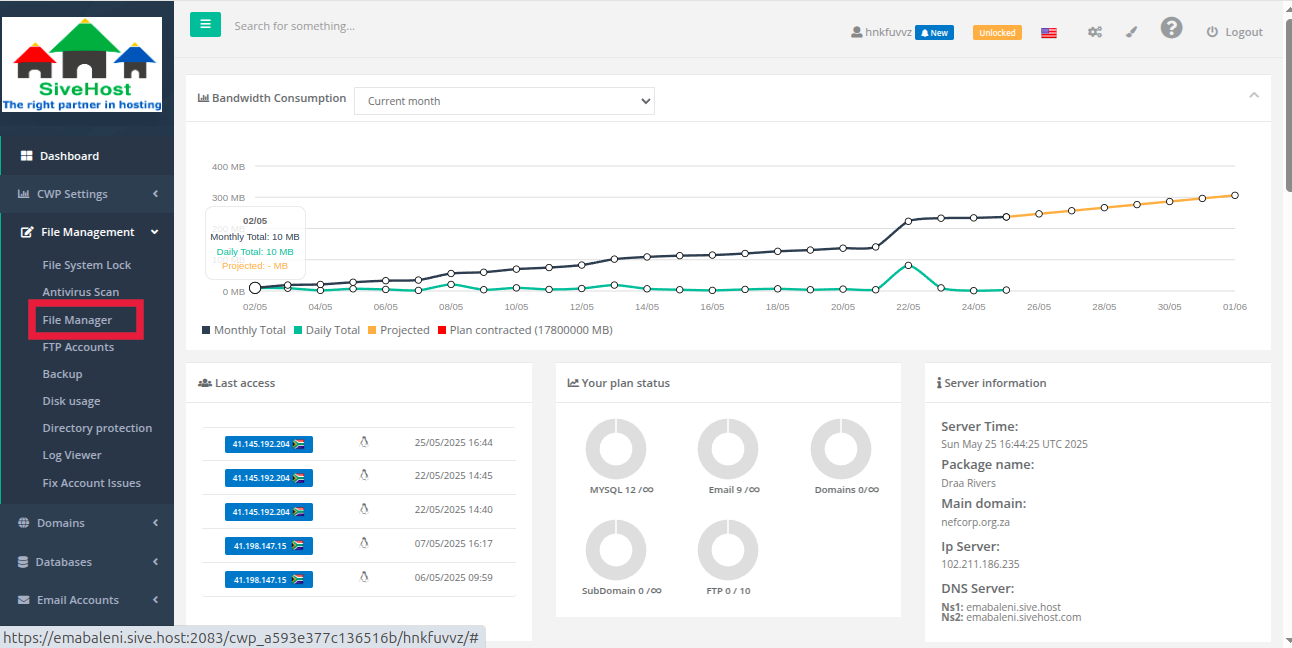
3. Access the Website Files:
- In the File Manager interface, open the public_html directory from the left-side panel.
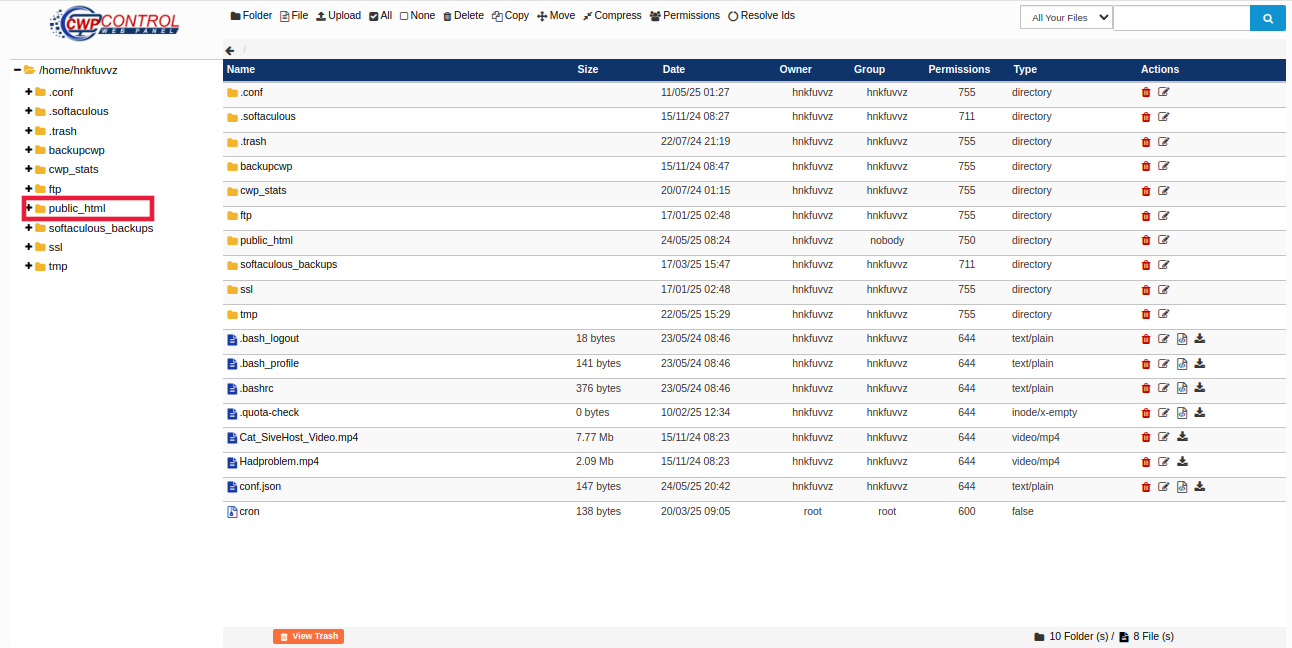
4. Open the Configuration File:
- Scroll through the files to locate
wp-config.php. - Click the paper icon next to the file name to open and view its contents.
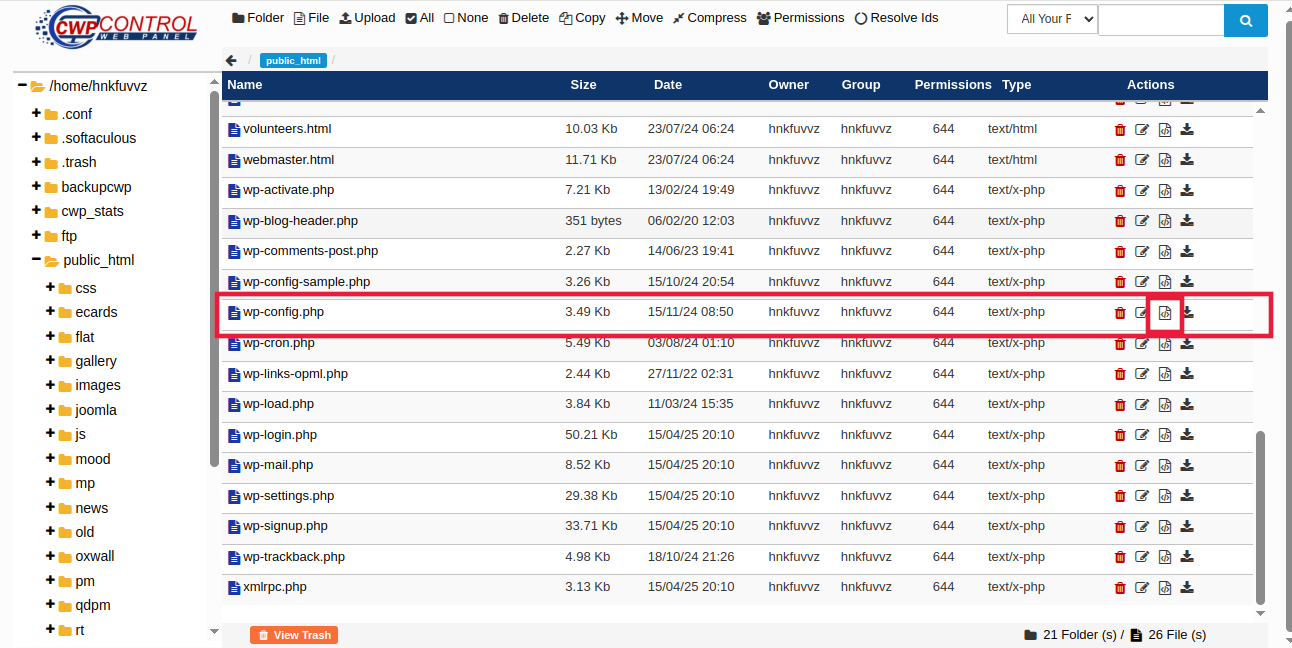
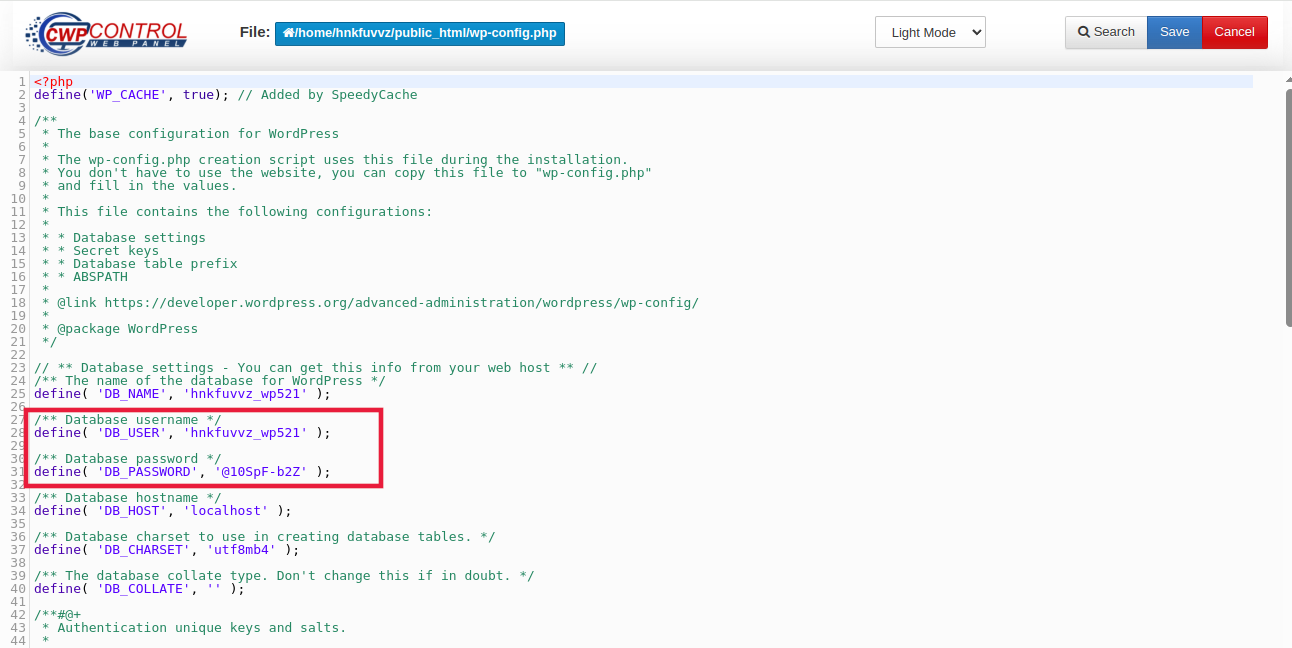
5. Find Database Credentials:
Within the wp-config.php file, look for the following lines (typically around lines 27–31):
define( 'DB_USER', 'your_database_username' );
define( 'DB_PASSWORD', 'your_database_password' );
The value next to DB_PASSWORD is the password used to access your database via phpMyAdmin.
Note: Be careful not to make any changes to the file while viewing it, as this may affect your website functionality.